Design.com vs Looka.com – What’s the Best Logo Generator in 2025


So, you need a logo. Every new venture comes to this crossroads.
Table of Contents
Some of the most popular logo generators are Design.com and Looka.com.
The first, Design.com uses advanced AI technology to generate high-quality designs. Looka.com, on the other hand, uses basic decision trees to show stock icons paired with free fonts. While Looka is good if you need a quick and simple logo, Design.com provides more professional-looking designs that look like an actual designer worked on them.
In this comparison guide, we go into greater depth to show why Design.com is a better option.
#1. Design.com: World’s Number 1 AI-Powered Design Platform
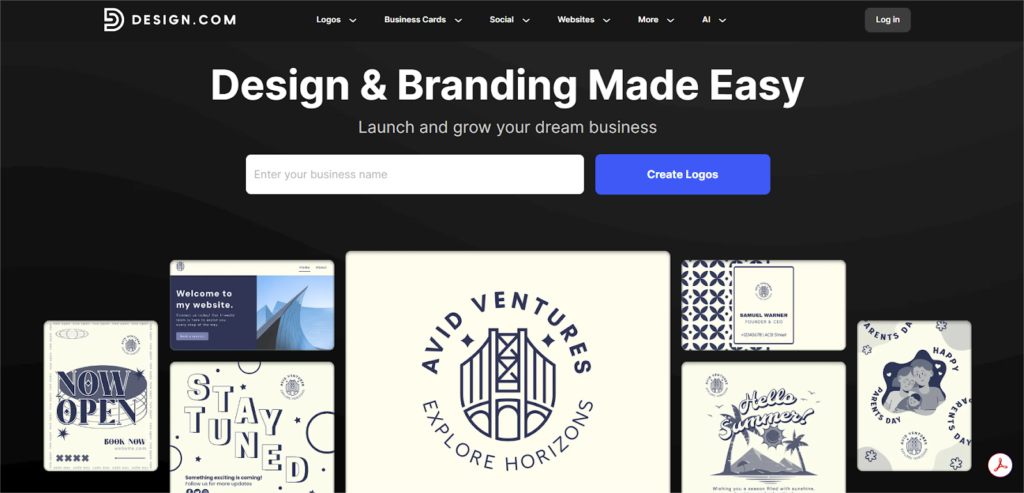
Forget thinking of Design.com as just a logo tool. It’s more like a complete launch kit for your new business, built around a core of human-made designs.
Here’s what you’ll find inside:
1. The Smart Helpers That Do the Heavy Lifting
- Logo Hunting: It starts here. Tell it your company name and industry, and it dives into the world’s biggest library of logo templates to pull out designs that actually make sense for you.
- Stuck on a Name? If you don’t even have a name yet, its Business Name Generator will brainstorm catchy, available names you can actually use. It also works with the Domain Scout and even has its own domain name search feature to help you find a matching web address.
- A Website, Like, Yesterday: The Website Builder spins up a clean, professional site without you needing to know an ounce of code. Give it your info, and it builds a digital home that matches your brand’s vibe.
- And All the Fixings: There are also quick-fix tools that save a ton of time. The Background Remover can cleanly zap the background from any photo. And the Content Crafters can instantly generate matching business cards, flyers, posters, and even a branded “Link in Bio” page or a full presentation deck.
2. Finding Your Perfect Look
- Human-Made at Heart: The secret sauce is the library itself. It’s the largest on the planet because it’s filled with thousands of templates created by actual human designers. You’re not starting from a robot’s random idea; you’re starting from a real artist’s work.
- Make It Yours: Once you find a design you love, you can make it completely yours. The editor is straightforward: tweak the fonts, mess with the colors, and swap out icons until it feels just right.
- A Style for Every Story: Don’t worry about being too niche. Whether you’re in gaming, real estate, or run a food truck, there’s a category for you. Looking for a classic Monogram, a fun Cartoon logo, or a modern 3D look? It’s all in there.
- Stay Consistent with No Effort: The best part is how it helps you look professional everywhere. You can instantly create matching letterheads, email signatures, and business cards.
3. The Design.com Edge
- The Largest in the World: Design.com offers 350K+ logos, which makes it the largest and richest logo library in the world.
- Exceptional Quality: With its advanced AI technology, Design.com provides a remarkable quality of designs that many of its competitors, including Looka, are still falling significantly behind.
- Art Meets Algorithm: This is the key difference. Design.com starts with art made by a professional human designer. The AI then acts as your creative assistant that helps you tweak and personalize that solid foundation. You get the speed of technology without losing the soul of craftsmanship.
- Own It. For Real: This is a big one. With their Extended License options, you can secure exclusive rights to your logo. When you do this, they literally pull the template from their public library, so no one else can start with the same design. It gives you the legal backing to say, “This is mine, and mine alone.”
- No Legal Headaches: Every single font, icon, and graphic element on the platform is fully licensed for commercial use.
4. A Starting Point for Everyone (Including Free)
Design.com is built for businesses of all sizes, and they prove it by giving you a powerful way to start for nothing.
- The Free Logo Maker (And We Mean Free): This isn’t one of those frustrating “free” tools that make you pay to download your work. It’s a genuine offer. You can choose a design from their free collection, customize it, and download all the essential files you need to launch your brand at zero cost.
One quick note: While downloading the logo files is free, using that logo in their other tools (like the business card or flyer maker) requires you to pay. But the logo itself? It’s yours.
#2. Looka
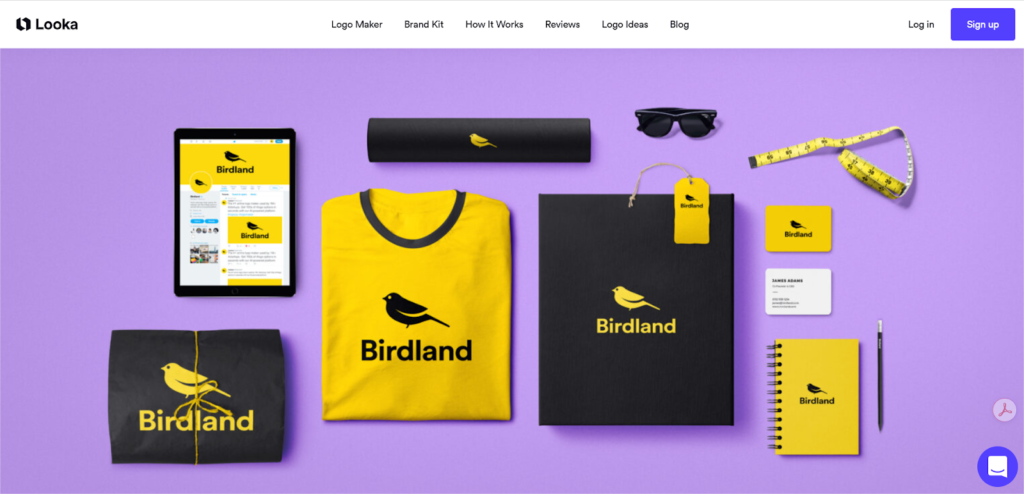
Looka is a platform where you don’t just design a logo; you build your brand identity from scratch.
1. The Logo Design Studio
- Concept Generation: The system generates hundreds of custom logo mockups from the information you provide.
- Direct-Control Editor: The editor gives you the control to modify colors, swap symbols, and adjust sizing and layouts.
- Real-World Previews: The platform shows your design on real-life mockups.
2. Your Brand’s Central Hub
- Instant Asset Library: The system creates a library of over 300 branded templates. Each one is matched to your logo’s style and color palette.
- Many Templates: This collection includes professional documents like invoices, flyers, email signatures, and social media content.
- Partner Offers: The kit also gives access to over $3,000 in offers from business partners.
3. The Complete Brand Package
- Professional Logo Files: You get a comprehensive package with over 15 logo files that you can use for websites or print.
- Business Card Designs: You can create your business cards from a choice of 20 professional design templates. The system generates print-ready files that you can send to any local or online printer.
- Brand Guide: A concise brand guide is included. This document details your official fonts, color codes, and necessary instructions.
Design.com vs Looka: Features Compared
| Feature | Design.com | Looka.com |
| How It Works | Uses advanced AI as a creative assistant to help you customize designs that were made by real humans. This ensures a better quality of the logo designs compared to what competitors like Looka offer. | Uses basic decision trees to show you stock icons paired with free fonts. As a result, you often end up with low-quality logo designs that don’t look professional at all. |
| The Designs | Starts from the world’s biggest library of high-quality templates created by actual professional designers. | Generates mockups from a library of stock icons. |
| Logo Ownership | Offers an “Extended License” to give you exclusive rights. They will pull the template from their library so no one else can use it. | No mention of an option for exclusive ownership. |
| Extra Tools | A complete launch kit: Website Builder, Business Name Generator, Domain Scout, Background Remover, and Content Crafters. | Focuses on the logo and building a brand identity kit. |
| Free Option | Yes, a genuinely free logo maker. You can customize a logo from their free collection and download the files at zero cost. | No mention of a free download option. |
| Legal Status | No legal headaches. Every font, icon, and graphic is fully licensed for commercial use. | Licensing details are not specified. |
| Branded Materials | Instantly creates matching business cards, letterheads, social media posts, email signatures, and even presentation decks. | Creates a library of over 300 branded templates, including invoices and flyers. |
Sample Comparison
A picture is worth a thousand words. Therefore, we’re providing you with examples of logo designs from both Design.com as well as Looka, so that you can see the difference for yourself. Design.com’s logos look like they are made by professional designers, whereas Looka’s have a more basic look to them.
Logos by Design.com
Logos by Looka.com
As you can see from the above examples, Design.com’s logo designs truly match and reflect all the positive characteristics that we highlighted earlier in the form of textual descriptions. They stand out with their uniqueness, originality, and quality, as if you hired an expensive professional designer to come up with those logos over a period of weeks or months.
Summing Up
Your path is now clear, defined by the scope of your ambition.
Both of the paths detailed in this article are reliable roadmaps to your dream destination. As seen through this comparison guide, Design.com is the stronger contender that offers professional designs while preserving the ease of use and user-friendliness. Its designs have a higher quality and look much more professional than what its competitors have to offer. This is what makes the platform a favorite and reliable option among users from all over the world.
But remember that the most important part of this journey is yourself! Your logo should reflect your vision, your style, your voice; your logo should reflect you!
The tools presented in this guide will just help you reach your intended destination, but you’re the one who’ll choose the destination and who’ll walk the walk. So, pave the way, your way!