MozBar review: our take
MozBar puts Moz's link metrics on whatever page is open in Chrome or Firefox and, through SERP Overlay, on every Google result, with the first results page exportable to CSV. Without an account it shows on-page elements and internal links. A free Moz account adds Domain Authority and Page Authority, which is enough for judging sites while building links.
Spam Score, Brand Authority and a page's top 25 ranking keywords sit behind MozBar Premium, which comes with Moz Pro Standard at $99 a month, $79 billed yearly. The bar shows Moz metrics only. A team whose link data comes from Ahrefs would install the Ahrefs SEO Toolbar instead, which shows Domain Rating and URL Rating free when signed in and backlink and traffic figures from $29 a month.
What MozBar does
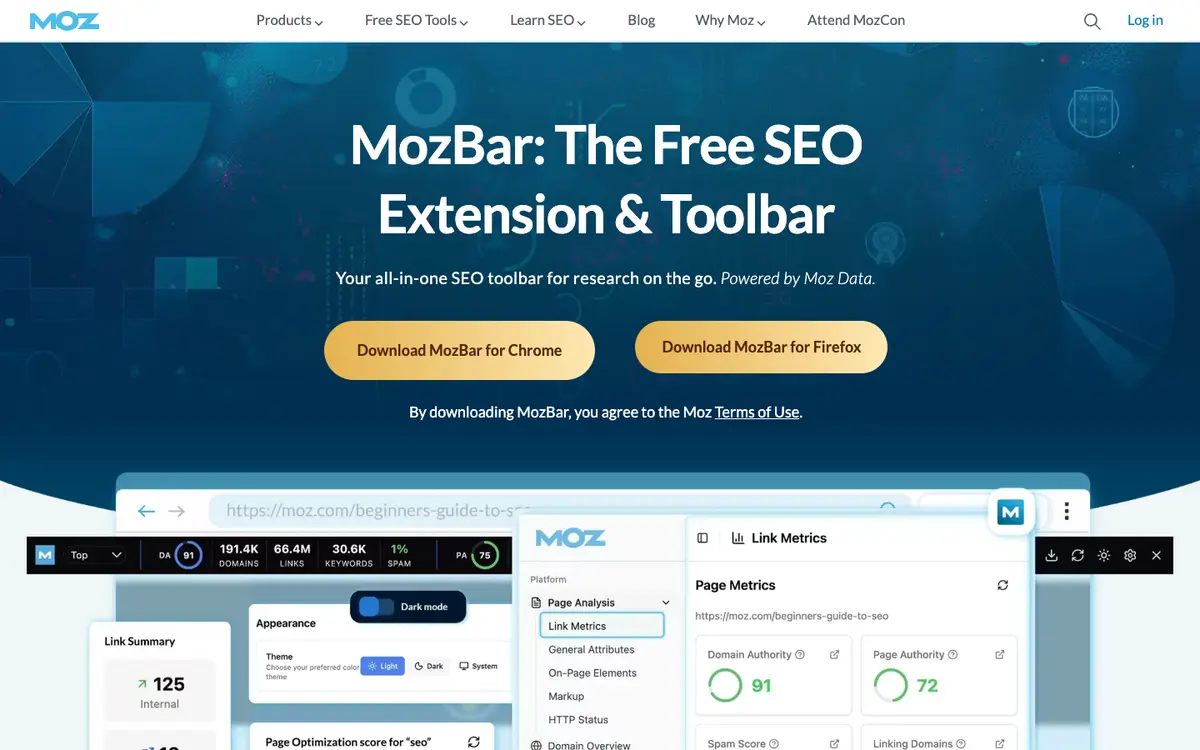
MozBar shows Moz metrics for the page you are on and, with SERP Overlay, for every Google result, with CSV export of the first results page. Without an account it shows on-page elements, general attributes and internal link details; a free Moz account adds Domain Authority and Page Authority. Moz Pro subscribers get MozBar Premium: Brand Authority, Spam Score, Page Optimization, Domain Overview and the top 25 ranking keywords of a page. It also highlights followed, nofollow, internal and external links and audits schema, hreflang, robots.txt and sitemaps.
Who MozBar is for
Best for
- link builders judging sites by Domain Authority while browsing, on a free account
- SEOs comparing the link strength of top Google results with SERP Overlay
- Moz Pro subscribers who want Spam Score and ranking keywords in the browser
Not for
- users who need Spam Score, Brand Authority or ranking keywords without paying: these need Moz Pro
- teams whose link data comes from Ahrefs or Semrush: MozBar shows Moz metrics only
MozBar features
- F1Domain Authority and Page Authority on any page
- F2SERP Overlay with link metrics and CSV export
- F3Link highlighter
- followed, nofollow, internal, external
- F4On-page analysis
- title, meta description, headers, HTTP status, canonical, meta robots
- F5Schema, hreflang, robots.txt and sitemap checks
- F6Saved searches for Google in other locales without a VPN
- F7Premium
- Brand Authority, Spam Score, Page Optimization, ranking keywords
MozBar pricing and plans (2026)
| Plan | Monthly | Billed yearly, per month | What it includes |
|---|---|---|---|
| Guest | $0 | — | no account; on-page elements, general attributes, internal link details |
| Community (free account) | $0 | — | everything in Guest plus Domain Authority and Page Authority |
| Moz Pro Starter | $49 | — | entry-level plan for individuals managing a single website |
| Moz Pro Standard | $99 | $79 | 1 user, 3 tracked sites, 300 tracked keywords, MozBar Premium, 150 tracked AI prompts |
| Moz Pro Medium | $179 | $143 | 2 users, 10 tracked sites, 1,500 tracked keywords, MozBar Premium, 300 tracked AI prompts |
| Moz Pro Large | $299 | $239 | 3 users, 25 tracked sites, 3,000 tracked keywords, MozBar Premium, 600 tracked AI prompts |
Prices in USD. The extension is free; paid tiers are Moz Pro subscriptions that unlock MozBar Premium. Yearly billing saves 20%.
Free plan: yes. Prices as listed by the vendor, before tax; they change, so check the pricing page before you buy.
MozBar interface
MozBar FAQ
- How much does MozBar cost?
- Paid plans start at $99/mo, with a discount for yearly billing. Prices checked on 6 Oct 2026.
- Does MozBar have a free plan?
- Yes, MozBar has a free plan.
- What are the alternatives to MozBar?
- Tools that cover the same jobs include Ahrefs SEO Toolbar, SEOquake: On-Page SEO Checker, Ahrefs, Wappalyzer.